
Your car threw a code. Here is what it means.
DriveDecode is an OBD-II scanner app. Plug a Bluetooth adapter into your car, scan, and read your engine and emissions codes in plain language: what the code means, what usually causes it, and what to check first.

Free to scan, no account needed. iPhone and iPad versions are coming soon.
What Is DriveDecode?
DriveDecode is for drivers, not mechanics. When the check engine light comes on, it reads the trouble codes from your car and gives you an answer instead of a code number, so you know what is wrong before you hand over the keys. It reads your VIN to identify the vehicle, because many codes mean different things on different makes, and more than 20,000 code descriptions are built into the app so a scan still makes sense with no signal.
DriveDecode reads engine and emissions systems. It does not read ABS, airbag (SRS), TPMS, or transmission-specific manufacturer codes.
Free to scan. No account needed. No ads.
How It Works
Plug in an adapter
An OBD-II adapter goes into the diagnostic port under the dashboard and connects to the app over Bluetooth.
Scan your car
DriveDecode reads the vehicle, its trouble codes, and the engine conditions recorded when the fault set.
Read the answer
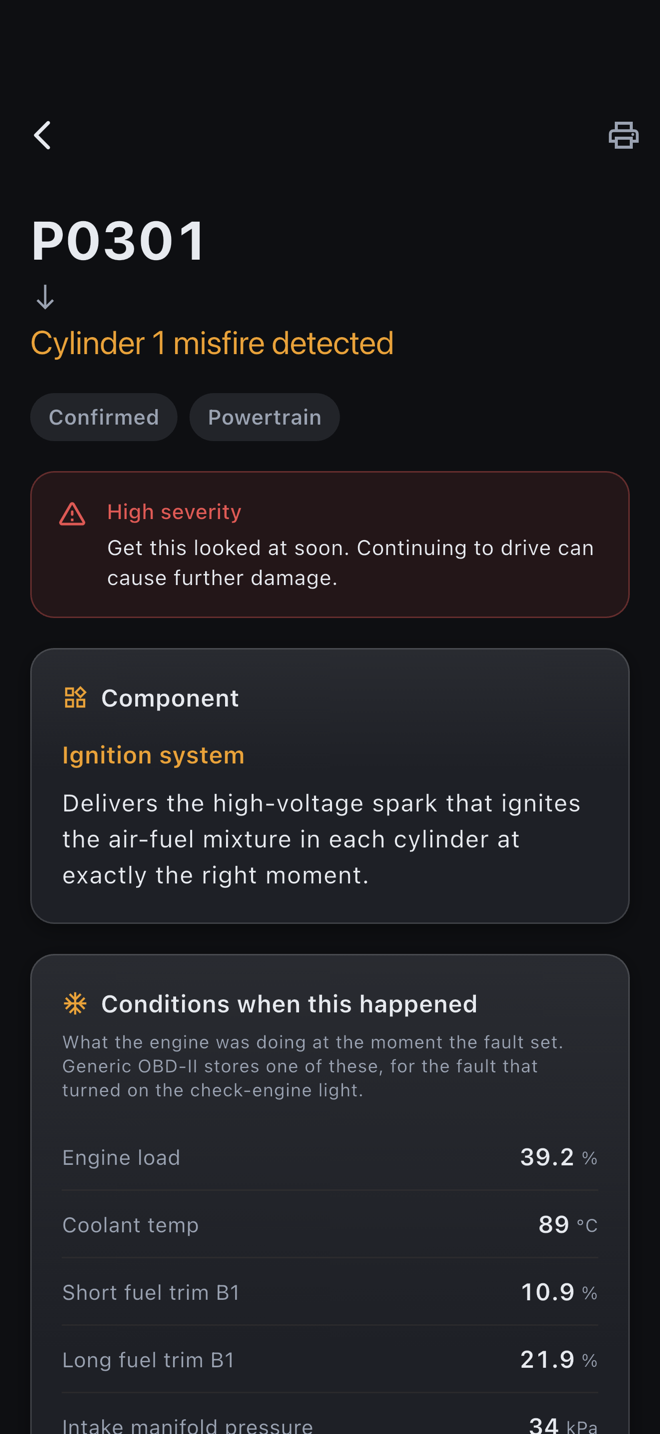
Each code comes with what it means, how serious it is, the likely causes in order, and what to check next.
What It Does
The parts of the app most people use first. All of them are free except the AI analysis.
Read your codes
Stored, pending, and permanent codes, grouped so you can tell a fault happening now from one the computer is still watching. Each has a plain language label and a severity.
Understand the cause
Open any code for what it means, the likely causes ranked, and what to check next. Where the app is not sure, it says so.
Know your vehicle
DriveDecode reads your VIN and decodes it to year, make, model, and engine, so you get the definition for the car in your driveway.
See the freeze frame
The snapshot of engine conditions captured when the fault set: speed, load, coolant temperature, fuel trims.
Watch live data
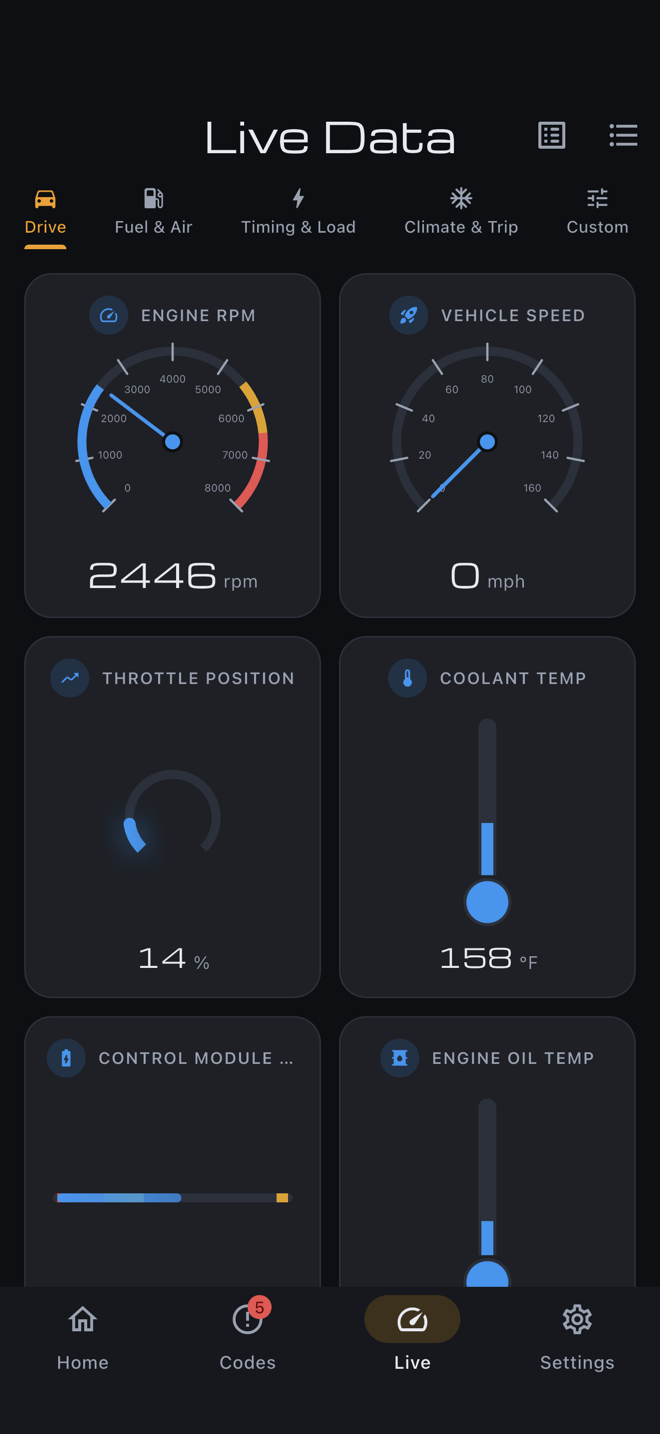
Gauges grouped by what you are diagnosing. Tap one and the whole connection goes to that reading, fast enough to watch a fuel trim swing.
Check emissions readiness
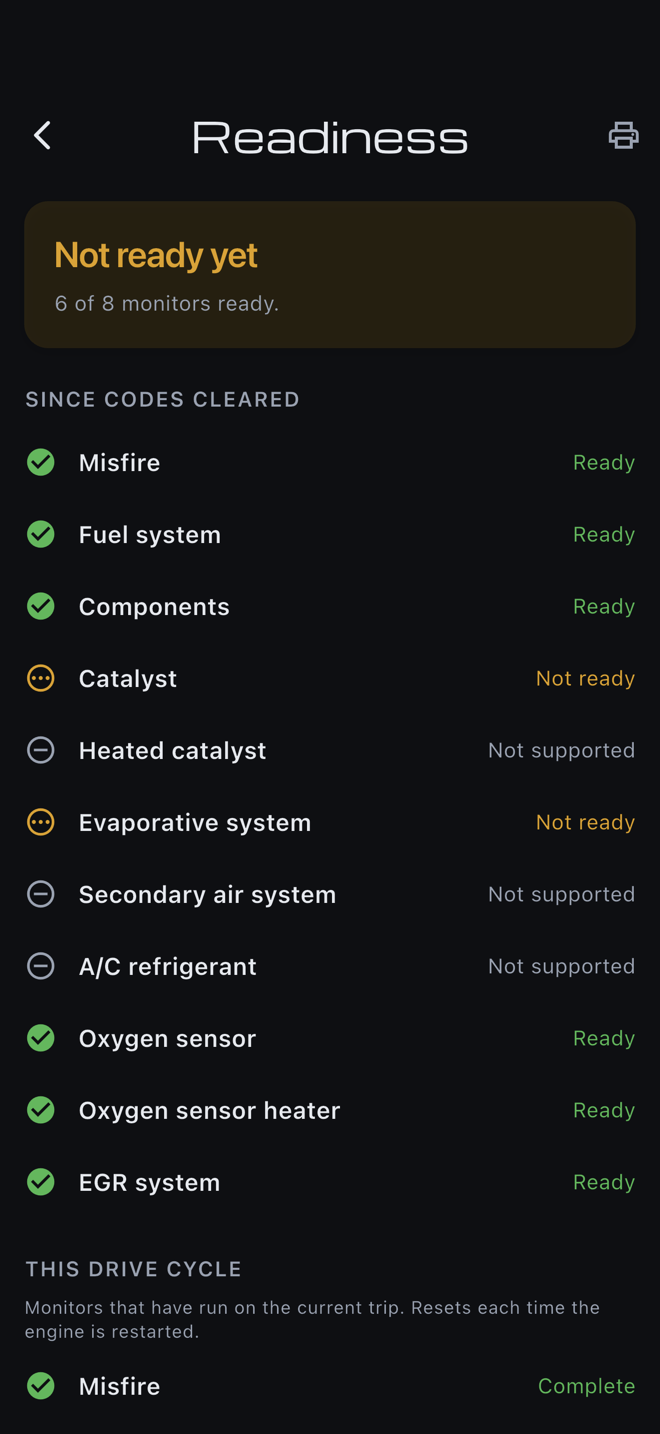
Every monitor marked ready, not ready, or not supported, framed as the question you actually have: will this pass?
Ask for a deeper read
ProWith DriveDecode Pro, AI analysis reads a whole scan or one code in depth and returns likely causes and what to check in what order. It runs only when you ask for it.
Also Built In
Fuel trim check
Reads your trims at idle and at 2500 rpm and compares the two, which is what separates a vacuum leak from a fuel delivery problem.
Battery and charging check
Resting voltage with the engine off and charging voltage with it running, read as the different things they are.
Acceleration timing
Times 0 to 60 and roll-ons from your car's own speed signal. Closed course or private property only.
Reports
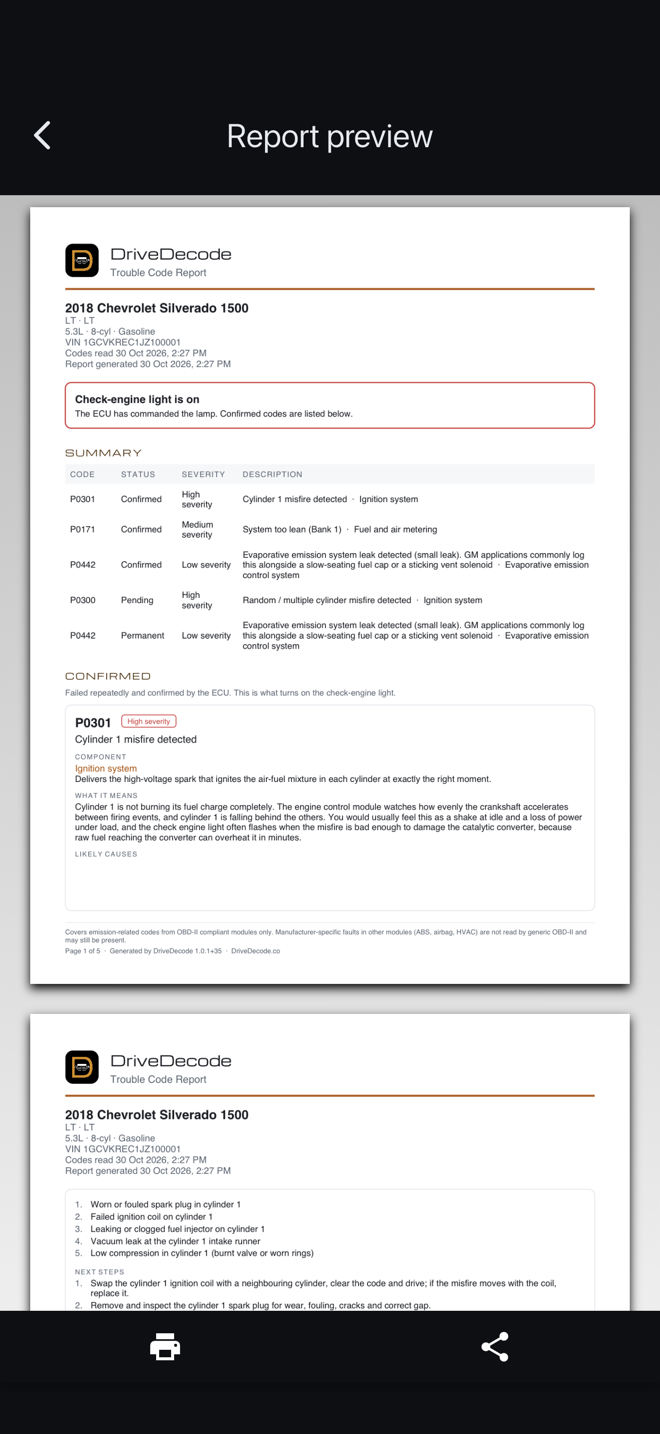
Turn a scan, a single code, or a readiness check into a PDF for a shop, an inspector, or a buyer, or a CSV for a spreadsheet.
Custom gauges
Pick the readings you care about and DriveDecode polls only those, four at a time.
Clear codes, carefully
Clearing sits behind a confirmation that explains what it does: the light goes off, the emissions monitors reset, and the fault is not repaired.
What You Need
An OBD-II adapter
Most Bluetooth LE OBD-II adapters work with DriveDecode. Our own adapter, the DriveDecode M1, is coming soon.
A compatible vehicle
Cars and light trucks sold in the US from 1996 on. The standard OBD-II port is under the dashboard.
No adapter yet?
Choose Explore with sample data to run the whole app on a simulated car before you buy anything.
Pricing
The app and every diagnostic in it are free, with no account. DriveDecode Pro is an optional subscription that adds AI analysis and nothing else. The price is shown in the store when you subscribe.
| Feature | Free | Pro |
|---|---|---|
| Read and clear trouble codes | ||
| Plain language explanations and likely causes | ||
| VIN decode and freeze frame | ||
| Live data and custom gauges | ||
| Emissions readiness | ||
| Fuel trim, battery, and acceleration checks | ||
| PDF and CSV reports | ||
| AI analysis of a scan or a single code | — |
The full story is at drivedecode.co
Adapters, the trouble code library, setup guides, and support all live on the DriveDecode site.
App Info
- Platform
- macOS & Android
- Status
- Available · iPhone and iPad coming soon
- Developer
- Miller Matrix
- Requires
- macOS 12.0+ or Android 8.0+, and an OBD-II adapter
- Pricing
- Free · Pro subscription for AI analysis
- Website
- drivedecode.co
Need Help?
DriveDecode support, setup guides, and the privacy policy are on the DriveDecode site.